Why Outdated Joomla Sites Get Hacked (and What to Do About It)
2026 has been a rough year for Joomla websites. Since April, Joomla specialists, security researchers, and government agencies in the U.S. and abroad have reported waves of automated attacks on Joomla sites, many of them exploiting weaknesses in popular add-on extensions. Defacements, where a homepage is replaced with a message like “Hacked by [group name],” have been part of the picture too.
We recently encountered one of these defacements firsthand on an older Joomla site. For a business owner, an attack like this feels personal and alarming. In reality, it is almost never personal at all.
In this article, we explain how these attacks happen, why outdated Joomla sites are such frequent targets, what a hack can actually cost a business, and the realistic options for getting onto a supported platform.
What a Defacement Hack Looks Like
The most visible type of attack on outdated sites is called a defacement. The attacker replaces your homepage (or adds a page) with their own content. Common features include:
- A bold “Hacked by” message signed with the attacker’s name or group
- Images, flags, slogans, or occasionally background music
- Contact handles or social media tags the group uses to promote itself
- Sometimes a list of other group members or “shout-outs” to fellow attackers
The defaced page is the part everyone notices, but it is often the least damaging part of the attack. We cover the hidden risks below.
What Has Been Happening in 2026
Several developments this year show how quickly unmaintained Joomla sites can be compromised:
- Spring: Joomla support specialists began reporting a sharp rise in successful attacks on sites that had gone a long time without updates, in some cases with the entire site and database wiped
- June: the U.S. Cybersecurity and Infrastructure Security Agency (CISA) added a critical flaw in JCE, one of the most widely used Joomla editor extensions, to its catalog of actively exploited vulnerabilities, as reported by The Hacker News
- July: CISA added two more exploited Joomla extension flaws, in the iCagenda and Balbooa Forms extensions, to the same catalog, and Singapore’s Cyber Security Agency issued its own alert on active exploitation of Joomla extensions
- Summer: one Joomla security monitoring service reported finding and disclosing nineteen vulnerabilities across seventeen popular extensions in roughly six weeks
A common thread runs through these incidents. Many of the flaws allowed an attacker with no login at all to upload and run code on the server, and the attacks were automated. Fixes were released, but only sites that actually installed them were protected. As the Joomla project itself noted, updating closes the entry point but does not clean up a site that has already been compromised.
Why Outdated Joomla Sites Are Such Easy Targets
Security support has ended
Joomla 3 reached its official end of life on August 17, 2023, and Joomla 4 followed in October 2025. Once a version reaches end of life, the Joomla project no longer releases security fixes for it. Vulnerabilities in these older versions continue to be discovered and published, but on an unsupported site, those holes stay open indefinitely.
The attacks are automated
Most business owners picture a hacker deliberately choosing their site. That is rarely how it works. Instead:
- Automated tools scan huge numbers of websites around the clock
- These tools identify which software and version each site is running
- When they find a version with a known weakness, they try published exploits automatically
- Successful hits are collected and, in the case of defacements, often posted publicly for bragging rights
In other words, your site does not need to be important or well-known to be attacked. It only needs to be running software with a known, unpatched weakness.
Old extensions widen the door
Joomla sites typically rely on third-party extensions for features like forms, calendars, page builders, and editors. As the 2026 attacks show, extensions are often the easiest way in. On older sites, many extensions have been abandoned by their developers or no longer receive fixes for older Joomla versions, and on sites nobody is maintaining, available fixes may simply never get installed.
The server environment ages too
Older Joomla versions depend on older versions of PHP, the programming language that runs the site. As hosting providers retire those PHP versions for security reasons, outdated sites may become harder to keep running at all, let alone securely.

Why Defacement Groups Do It
It can be hard to understand why anyone would bother defacing a small business website. For many of these groups, the motivation is simple:
- Reputation: defacers often log their hits on public archive sites, and a high count earns status within their community
- Low effort: automated tools make it possible to hit hundreds of vulnerable sites with little work
- Messaging: some groups use defacements to spread political or social slogans
- Access: a successful break-in can also be used later for spam, phishing pages, or malware
The Real Cost of a Hacked Website
A defaced homepage is embarrassing, but the broader impact is usually what hurts a business most. Consequences can include:
- Lost trust: customers and prospects who see a hacked page may question whether the business is still operating, or whether it is safe to contact
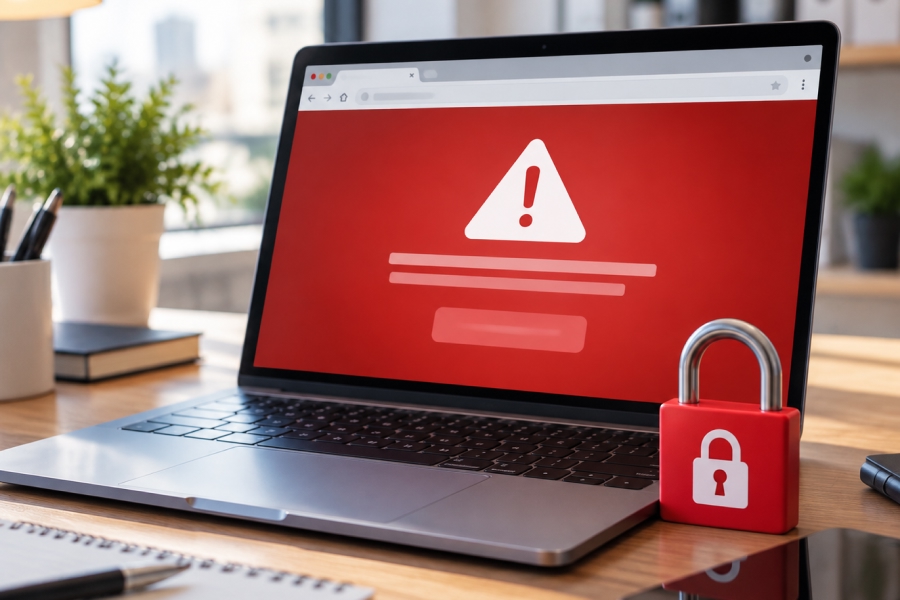
- Search warnings: Google may label compromised sites in search results or show a browser warning to visitors, as described in the Search Console Security Issues report documentation
- Ranking losses: hacked content and warnings can hurt visibility that took years to build
- Hidden backdoors: attackers often leave behind files that let them get back in, even after the visible page is repaired
- Spam and malware: a compromised site can be used to send spam, host phishing pages, or push malicious software to visitors
- Hosting consequences: a hacked site can put other sites on the same server at risk, so hosts may suspend the account
- Data exposure: if the site collects form submissions or stores customer information, that data may be at risk
- Cleanup costs: professional cleanup, recovery, and rebuilding often cost more than a planned upgrade would have
Warning Signs Your Site May Be at Risk
Many business owners do not know which version of Joomla their site runs. A few signs that your site may be outdated or already compromised:
- Your site was built several years ago and has not had a major upgrade since
- The Joomla administrator dashboard shows a version number beginning with 3 or 4
- Extensions show update warnings, or their developers no longer offer versions for current Joomla
- Your host has sent notices about outdated PHP versions
- You notice unfamiliar administrator accounts, pages, or links you did not create
- Visitors report being redirected to other websites
- Google Search Console reports security issues, or your site shows a warning in search results
Your Options: Upgrade Joomla or Move to WordPress
The good news is that there is a clear path forward. Having built and maintained Joomla sites since 2008, and WordPress sites for many years, we have seen both paths work well. The right choice depends mainly on what your site needs to do.

Upgrading to a supported version of Joomla
Joomla is still an actively developed platform, and staying with it is a sensible choice for some sites. Joomla 6 is the current release series. Joomla 5 remains supported, but its regular bug-fix support ends in October 2026 and its security-only support ends in October 2027, so many upgrades today target Joomla 6. Supported versions receive regular security releases, which the Joomla project publishes on its official Security Centre.
Staying with Joomla generally makes sense when a site relies on functionality Joomla handles especially well, such as:
- Complex user access levels and member areas
- Large, highly structured content libraries
- Specialized Joomla components that have no practical WordPress equivalent
Keep in mind that moving from Joomla 3 to a current version is usually a substantial project rather than a one-click update, because templates and many extensions need to be replaced. Our Joomla design and update services page outlines how we approach these projects.
Migrating to WordPress
For most small business websites, we generally recommend moving to WordPress. Businesses often find that WordPress offers:
- An easier editing experience for non-technical staff
- A much larger ecosystem of themes, plugins, and developers
- Automatic installation of minor security releases for the WordPress core by default
- Lower long-term costs for many types of sites
Since an outdated Joomla site often needs a significant rebuild either way, many owners use the moment to modernize the design and content at the same time. You can learn more on our WordPress design and update services page.

How to decide
A few questions can help point you in the right direction:
- Does your site rely on advanced features that are specific to Joomla?
- Who will be editing the site, and how comfortable are they with the admin tools?
- How large is the site, and how much content needs to come across?
- Do you want a refreshed design, or mainly a secure foundation?
For a deeper comparison of the paths available, see our Complete Joomla Migration Guide.
What to Do Right Now If You Are on Joomla 3 or 4
If your site is still on an unsupported version, a few practical steps can reduce your risk while you plan the next move:
- Make a full backup of your files and database, and store a copy somewhere other than your web server
- Confirm your version by checking the Joomla administrator dashboard or asking your developer
- Update passwords for your Joomla administrator, hosting, FTP, and database accounts
- Set up Google Search Console so you are notified if Google detects a security problem
- Get a professional assessment of the site and a realistic plan and budget for moving to a supported platform
If Your Site Has Already Been Hacked
If your site has already been compromised, resist the urge to simply restore the old homepage and move on. A few points to keep in mind:
- Take the site offline or replace it with a simple holding page while the problem is addressed
- Contact your hosting provider so they can check for impact on the server and account
- Change every related password, including hosting, FTP, database, and administrator accounts
- Avoid restoring the same outdated software, since the original weakness will still be there
- Plan a rebuild on a supported platform rather than patching an unsupported one
- Request a review from Google through Search Console once the site is clean, if a warning was applied
Moving Forward
Outdated Joomla sites are not attacked because someone has singled out your business. They are attacked because automated tools can find them easily and the weaknesses are well known. Every platform eventually ages out of support, and that is when the risk begins to climb.
Because we work with both platforms every day, we can help you weigh both paths honestly. If your site is on Joomla 3 or 4, or you are not sure what version you are running, contact us to request a free website platform assessment. We can also help keep your new site current through our website maintenance plans.
This article is for informational purposes only and does not guarantee any specific security outcome. Website security risks and results vary based on the platform, hosting environment, extensions in use, and how a site is maintained. Contact a qualified web development professional for guidance specific to your website and business situation.